BookedWork Pro
Start your FREE 14-day trialNo credit card required.
Menu
Already a BookedWork Pro customer? Log in

Software for painters

Your brush is busy.
Keep leads moving.

Painting requests and next steps, together in one dashboard.

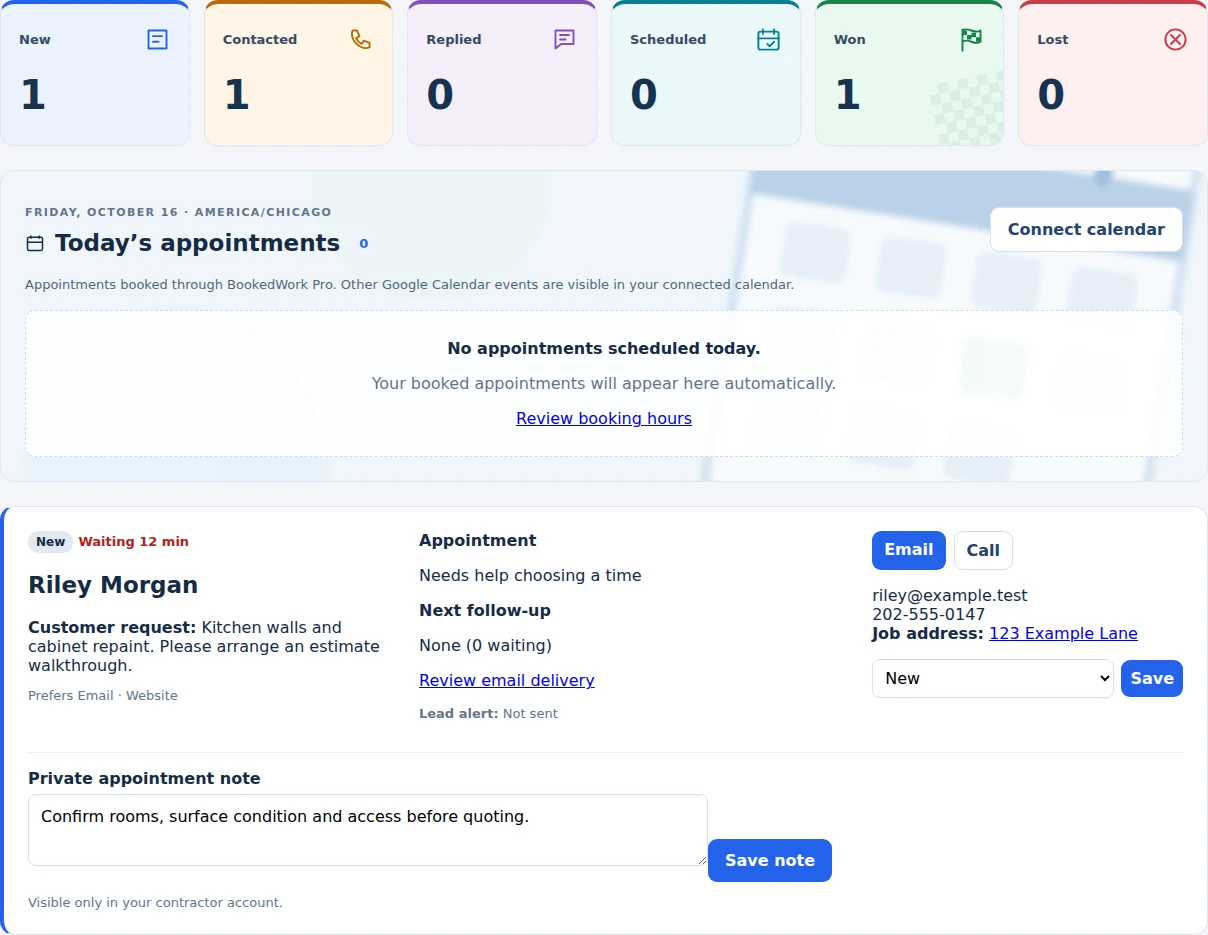
Your lead dashboardActual BWP screen
Actual Booked Work Pro lead dashboard showing a fictional painting request, appointment details and private notes
Fictional sample data Explore the screens ↓

For painting contractors

You keep rolling. BWP keeps the follow-up moving.

Capture customer requests, send automated email follow-ups, and let customers choose an available estimate time. Bookings sync with your connected Google Calendar.

No credit card required.

Illustrative footage and product previews with fictional sample details. Watch on YouTube ↗

A look inside Booked Work Pro

Your next inquiry.
With a clear next move.

See the actual software before you sign up. These are BWP screens captured with a fictional painting company, so you can look closely without entering your details.

01 / Your side of the conversation

Open a lead. Know what comes next.

See the painting request, its source, appointment details and your private notes together. Move the inquiry through New, Contacted, Replied and Scheduled as the conversation progresses.

Actual BWP dashboard with fictional customer Riley Morgan's kitchen request, lead status, source and private appointment note
Actual BWP interface · Fictional sample dataView full dashboard image ↗

02 / Your customer's first step

A useful request before the first call.

Give homeowners your BWP request link. They describe the work and share contact details so you can prepare a useful reply and assess whether the project fits.

Upper section of the actual customer request form for fictional Sample Painting Co., with contact and job details
Actual request form · Upper sectionOpen larger form view ↗

03 / Appointment times you can honor

Make room for the estimate visit.

Choose your days, hours and appointment length. Connect Google Calendar during setup to block busy times and sync appointments. Your availability follows your business time zone.

Actual BWP appointment settings showing time zone, booking days, first appointment time and appointment length
Actual booking settings · Fictional accountOpen larger settings view ↗

Screens show the interface, not customer results. Nothing is submitted or booked here. Want to follow a sample inquiry? Try the fictional painter walkthrough →

A useful next move

Know what local competitors are offering.

Read the finished sample or request your FREE personalized painting report.

Get my FREE report →

From the first request to the estimate visit

Keep the business moving
while the paint is drying.

A room count, a deadline, a cabinet finish, a customer comparing bids. Give each inquiry a place to land and a next step your team can see.

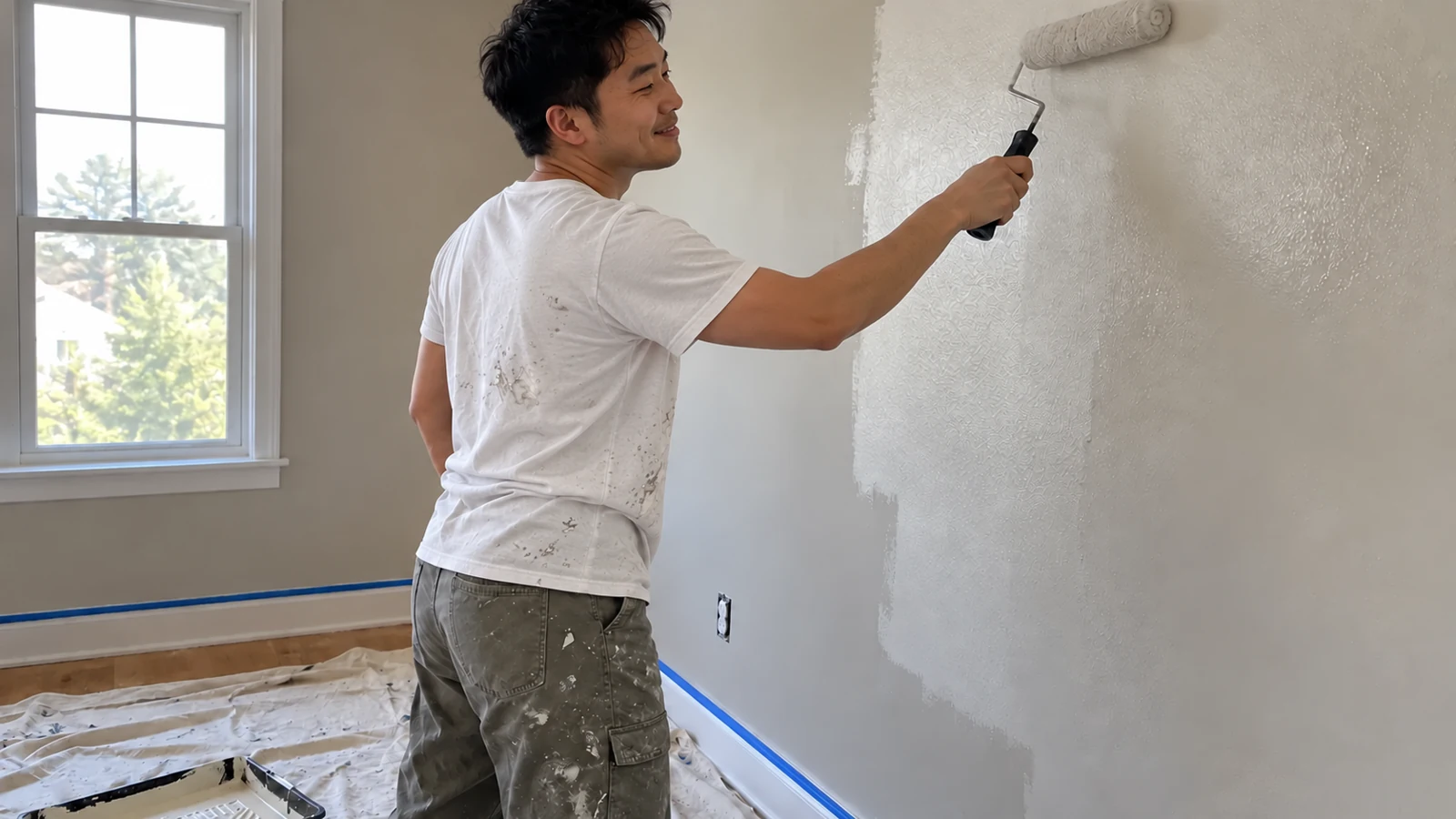
Painting contractor rolling an interior wall

01 / Give your marketing a destination

One customer request link.
Use it wherever you market.

Copy your live BWP request-form link from your dashboard. Add it to your website, email signature, social profile or advertising with a clear “Request an estimate” invitation.

Customers describe the project and share their contact details. Requests appear in My leads so you can check the fit and plan the estimate walkthrough.

See the simple link workflow in the FREE marketing kit →
ILLUSTRATIVE EXAMPLE

Kitchen & cabinet painting

Project: Refresh cabinets before moving in

Source: Website request

Next step: Confirm scope and offer an estimate visit

New inquiryContactedScheduled

Fictional details showing the workflow.

Painter and homeowner discussing access before an estimate visit

02 / Make the next step easy

Turn “call me sometime”
into an estimate appointment.

Offer available appointment times through your customer request form. Connect Google Calendar, set realistic business hours and leave room for travel and preparation.

A confirmed visit helps you assess the surfaces, protection and preparation before quoting the work.

Read the appointment workflow →

03 / Keep the conversation useful

Follow up without
living in your inbox.

Growth includes automated email follow-up for customers who give permission. Keep the inquiry visible, review replies and give the customer a clear next action.

Follow-up stops when the customer replies, books or opts out. The FREE 14-day trial includes Growth features and email follow-up.

Use the FREE follow-up templates →
Painting business owner reviewing a phone beside project records
MEASURE THE NEXT STEP

Sources tell you where.
Outcomes tell you what happened.

  • New inquiries
  • Confirmed appointments
  • Won jobs you record

An inquiry or appointment is not automatically a completed sale.

04 / See what brings booked work

Connect your marketing
to the requests it brings.

Use source-labeled versions of your customer request link to distinguish email, website and social placements. Review lead sources alongside appointments and won jobs.

Keep prices and customer details in your own workflow. Our FREE tools measure tool actions without collecting your entered document text.

Create source-labeled marketing links →

Try the workflow with your own business

Start your FREE 14-day trial.

Growth features · No credit card required · Google Calendar required during setup.

Start your FREE 14-day trial

Compare $39 Starter, $99 Growth and $179 Pro →

Useful before you ever choose software

FREE painting business tools.

Explore all painting articles → · Intake questions · Walkthrough guide · First-reply example · All FREE tools →

Questions painters ask

Where do submitted requests go?

They appear in My leads in your BWP dashboard. Your form link connects the request to your business.

Can I use the link without rebuilding my website?

Yes. Link an existing website button to your BWP customer request form, or paste the link into an email or social profile. Complete setup and test your live link before sharing.

Does the FREE trial need a credit card?

No. It includes Growth features for 14 days. Google Calendar connection is required during setup.

Are the calculators, invoices and PDFs included tools in my account?

They are public FREE resources you can use without an account. Save and manage their files through your own process. BWP's account workflow handles leads, follow-up and appointments.

Can I try a fictional example first?

Yes. Use the FREE painting demo, which sends no customer messages.

For painting contractors

All your painter resources. One place.

Browse all painting business articles, seven FREE tools and templates, and software for your next inquiry.

Want more booked jobs?